.stk-cd6a080 {background-color:#f5f5f5 !important;border-top-left-radius:3px !important;border-top-right-radius:3px !important;border-bottom-right-radius:3px !important;border-bottom-left-radius:3px !important;overflow:hidden !important;box-shadow:2px 6px 5px -3px #560e5de6 !important;border-style:solid !important;border-color:var(–stk-global-color-56583, #911d9c) !important;border-top-width:2px !important;border-right-width:2px !important;border-bottom-width:2px !important;border-left-width:2px !important;}.stk-cd6a080:before{background-color:#f5f5f5 !important;}.stk-cd6a080 .stk-block-text__text{font-size:17px !important;font-weight:normal !important;font-family:-apple-system, BlinkMacSystemFont, “Segoe UI”, Roboto, Helvetica, Arial, sans-serif, “Apple Color Emoji”, “Segoe UI Emoji”, “Segoe UI Symbol” !important;}@media screen and (max-width: 1023px){.stk-cd6a080 .stk-block-text__text{font-size:17px !important;}}Quick Answer: Connect ChatGPT to Spotify by starting a new chat, mentioning Spotify in your request, clicking “Connect to Spotify” when prompted, then logging into your Spotify account to authorize the connection.
Your music discovery game just got a serious upgrade. ChatGPT can now tap directly into your Spotify account to create custom playlists based on whatever random request you throw at it.
Want a “rainy Tuesday morning coding session” playlist? Done. Need “songs that sound like driving through a cyberpunk movie”? ChatGPT’s got you.
This isn’t just another AI gimmick—it’s actually useful for everyone, whether you’re rocking Spotify’s free tier or paying for premium.
.stk-a61aeab {border-top-left-radius:11px !important;border-top-right-radius:11px !important;border-bottom-right-radius:11px !important;border-bottom-left-radius:11px !important;overflow:hidden !important;}
TL;DR:
Connect your Spotify account to ChatGPT for AI-powered playlist creation
Works for both free and premium Spotify users with different features
Just ask ChatGPT what you want to hear—it’ll build the playlist for you
How to Connect ChatGPT to Your Spotify Account
Connecting your Spotify account to your ChatGPT account is pretty straightforward. OpenAI made it painless. Here’s how to do it.
Launch the appOpen ChatGPT (web or app, they both work)
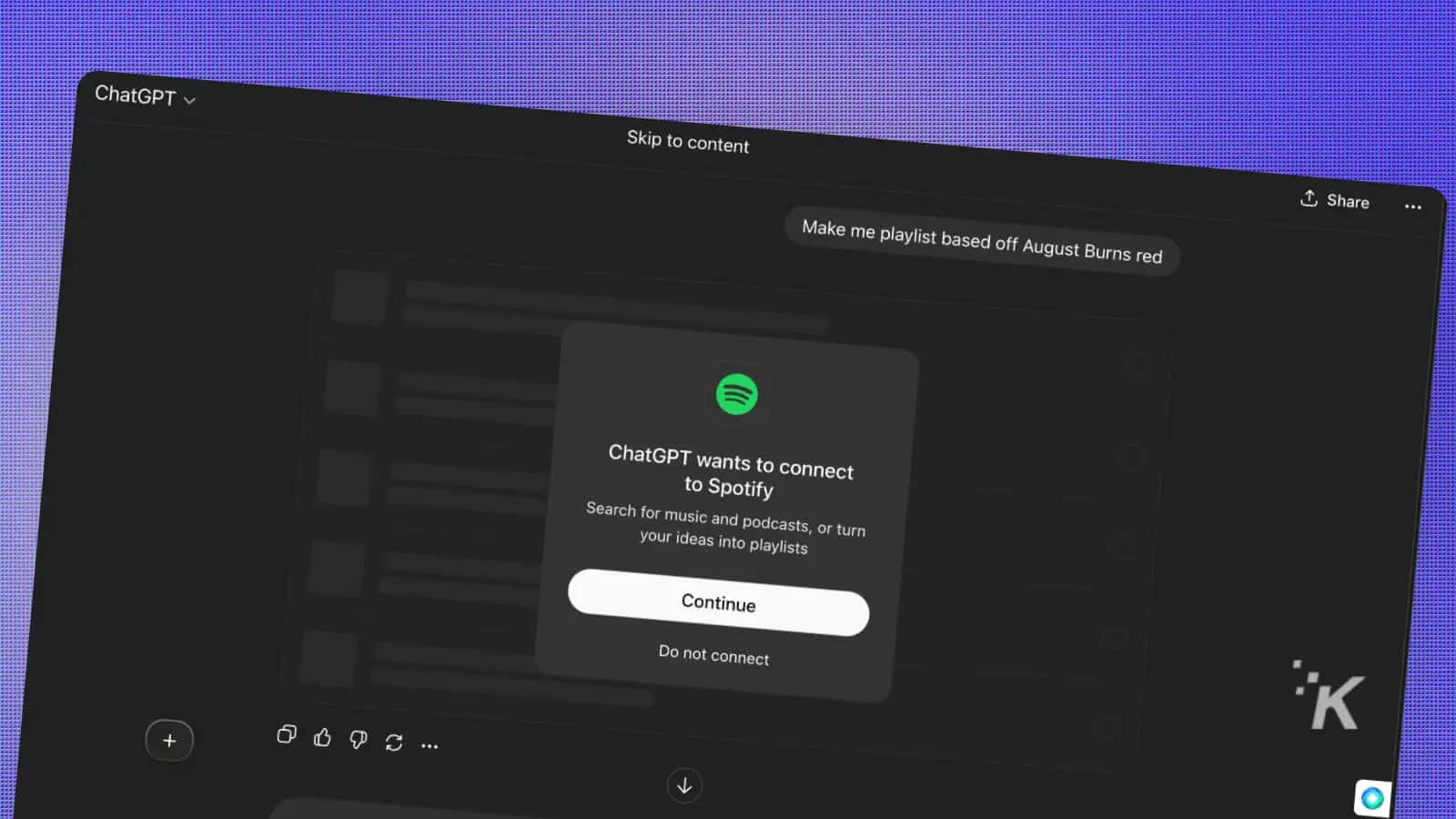
Connect SpotifyStart a new conversation and mention Spotify in your request.
ConnectClick “Connect to Spotify” when the prompt appears
Log in to SpotifyLog in to your Spotify account and authorize the connection
Make your requestStart making requests. Be as specific or weird as you want
{“@context”:”https://schema.org”,”@type”:”HowTo”,”name”:”How to connect ChatGPT to your Spotify account”,”step”:[{“@type”:”HowToStep”,”text”:”Open ChatGPT (web or app, they both work)”,”name”:”Launch the app”,”url”:”https://knowtechie.com/how-to-connect-chatgpt-to-your-spotify-account/#launch-the-app”},{“@type”:”HowToStep”,”text”:”Start a new conversation and mention Spotify in your request. “,”name”:”Connect Spotify”,”url”:”https://knowtechie.com/how-to-connect-chatgpt-to-your-spotify-account/#connect-spotify”},{“@type”:”HowToStep”,”text”:”Click “Connect to Spotify” when the prompt appears”,”name”:”Connect”,”url”:”https://knowtechie.com/how-to-connect-chatgpt-to-your-spotify-account/#connect”},{“@type”:”HowToStep”,”name”:”Log in to Spotify”,”url”:”https://knowtechie.com/how-to-connect-chatgpt-to-your-spotify-account/#log-in-to-spotify”,”text”:”Log in to your Spotify account and authorize the connection”},{“@type”:”HowToStep”,”name”:”Make your request”,”url”:”https://knowtechie.com/how-to-connect-chatgpt-to-your-spotify-account/#make-your-request”,”text”:”Start making requests. Be as specific or weird as you want”}],”description”:”Connecting your Spotify account to your ChatGPT account is pretty straightforward. OpenAI made it painless. Here’s how to do it. “}
.stk-8faaccf .stk-block-heading__bottom-line{background-color:var(–stk-global-color-56583, #911d9c) !important;}What You Can Actually Do
Free Spotify users: ChatGPT pulls from existing Spotify playlists like Discover Weekly and New Music Friday. Think of it as a smart curator that knows which pre-made playlists match your vibe.
Premium users: You get the full experience—ChatGPT creates completely personalized playlists based on your listening history and specific requests.
Everyone can ask for:
Songs, podcasts, artists, albums, or full playlist
Mood-based selections (“chill Sunday morning vibes”)
Activity-specific mixes (“workout playlist from artists I already love”)
Genre mashups (“indie rock meets lo-fi hip hop”)
Image: KnowTechie
.stk-12eb5b3 .stk-block-heading__bottom-line{background-color:var(–stk-global-color-56583, #911d9c) !important;}Troubleshooting Common Issues
Connection won’t work: Try logging out of both ChatGPT and Spotify, then reconnect. Clear your browser cache if using the web version.
Playlist seems off: Be more specific in your prompts. Instead of “good music,” try “upbeat indie rock for morning workouts.”
Can’t find the Spotify option: This feature is still rolling out. If you don’t see it, check back in a few days.
Free tier limitations: Remember, free users get curated selections from existing playlists, not fully custom tracks.
Pro Tips for Better Playlists
Get specific: “90s alternative rock for rainy days” beats “sad music
Reference your history: “Like my Discover Weekly but more electronic”
Set the scene: “Background music for a dinner party with friends
Mix genres: “Jazz-influenced hip hop with good bass lines
Be patient: Spotify says it’s “early days”—not every request works perfectly yet
.stk-e1ff344 .stk-block-heading__bottom-line{background-color:var(–stk-global-color-56583, #911d9c) !important;}FAQs
Do I need ChatGPT Plus for this?
Nope! This works with free ChatGPT accounts too.
Will this mess up my Spotify algorithm?
It shouldn’t—the playlists are separate from your regular listening patterns.
Can I edit the playlists ChatGPT creates?
Yes, they show up in your Spotify library like any other playlist.
How is this different from Spotify’s AI DJ?
ChatGPT creates static playlists based on text prompts, while AI DJ is a live radio-style experience.
What if I don’t like what ChatGPT picks?
Just ask again with more specific criteria—it learns from your feedback.
The Bottom Line
Skip the endless scrolling. Open ChatGPT, connect Spotify, and describe the vibe—rainy Tuesday coding, cyberpunk night drive, dinner-party hum.
Free gets smart curation, Premium gets fully custom, and you can edit or refine as you go. Ask, adjust, repeat. Your soundtrack, on demand. Press play.
This integration makes music discovery feel less like work and more like having a conversation with a friend who has impeccable taste.
Ready to try it? Open ChatGPT and ask for your dream playlist—your ears will thank you.